Worksheet kit for new freelancers
Run your first client job on paper, not in DMs.
Fill-in worksheets for intake, scope, the first 48 hours, invoicing and setting money aside, so your first freelance job has a named deliverable, a deadline and a due date before you start the hours.
- 21 fill-in files (Markdown + CSV for Google Sheets or Excel)
- Instant download after Stripe checkout
- Full refund if the files won’t download or open within 7 days (refund policy)
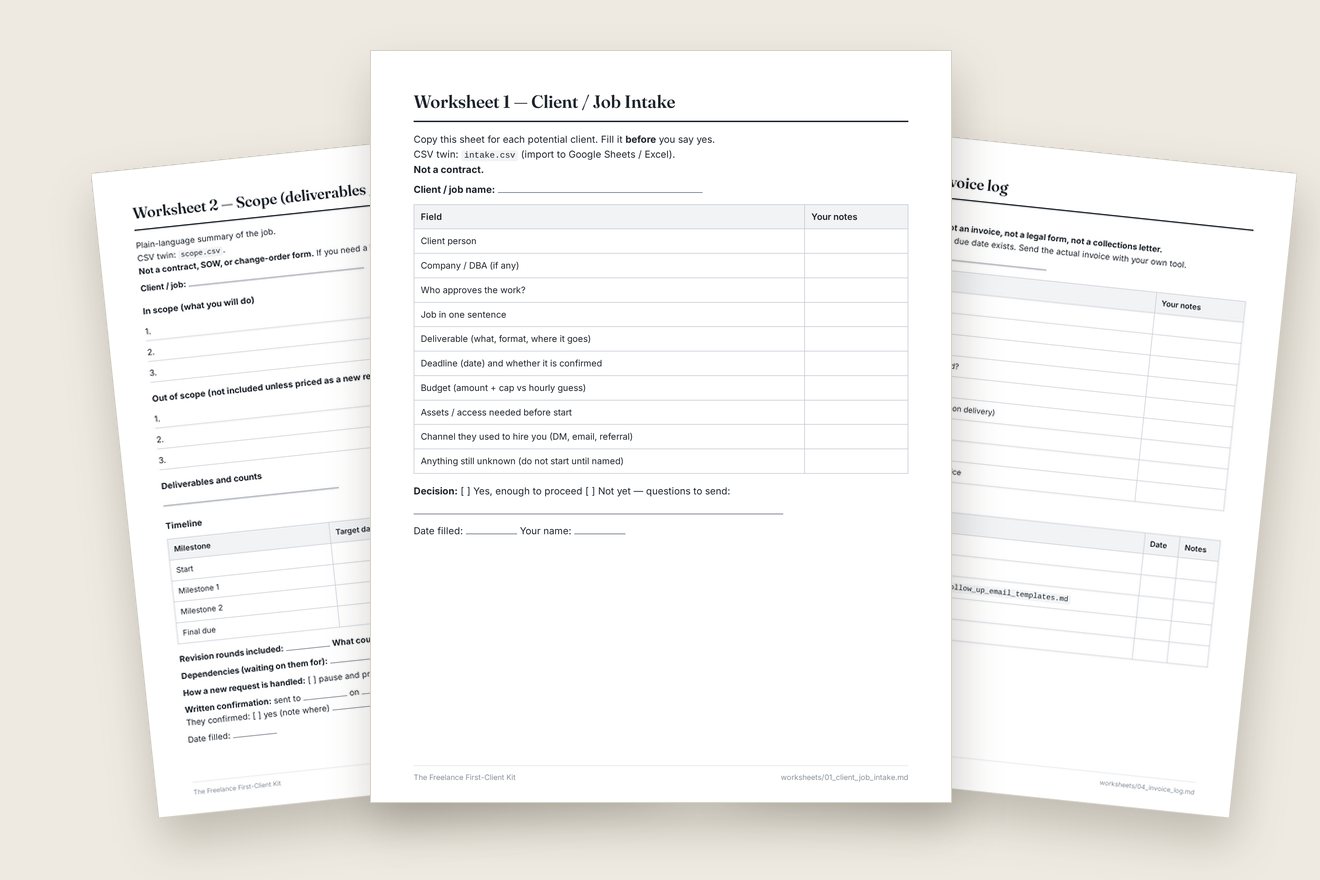
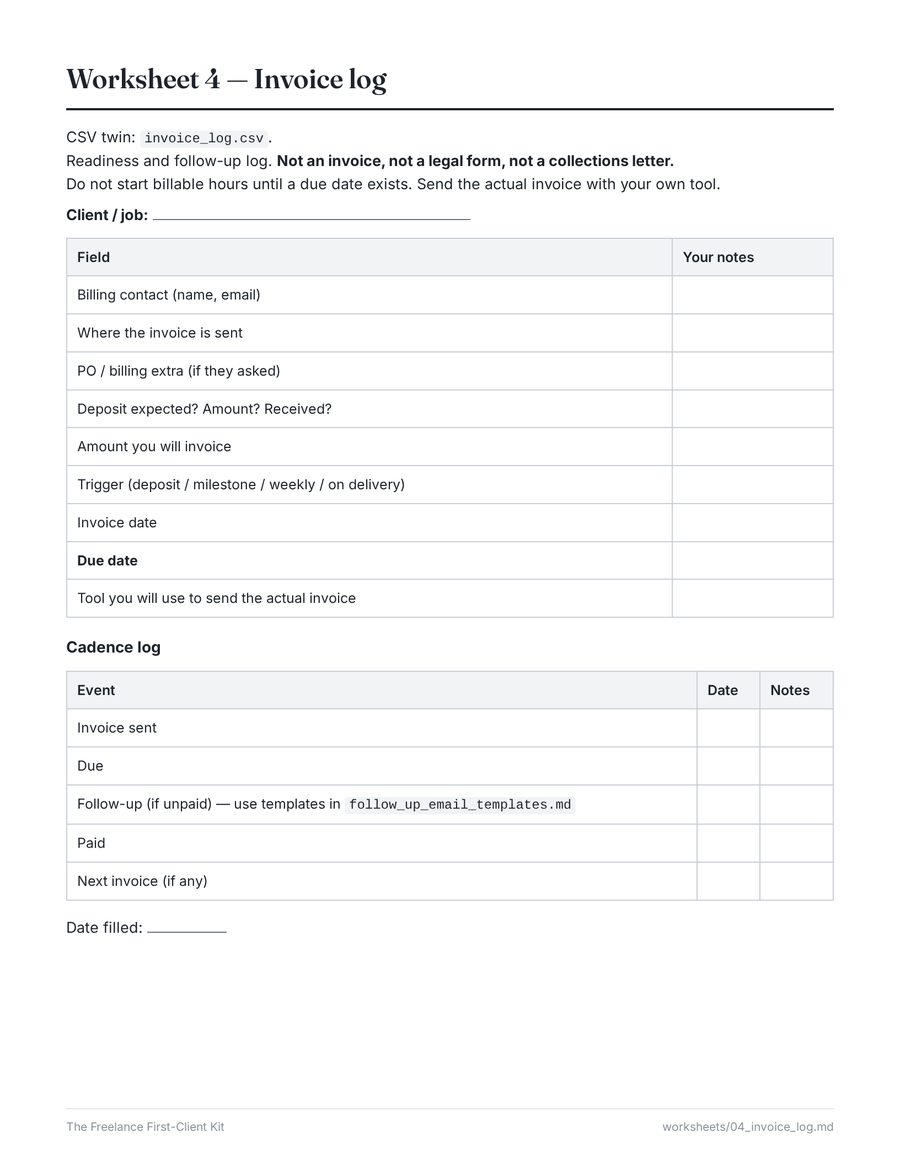
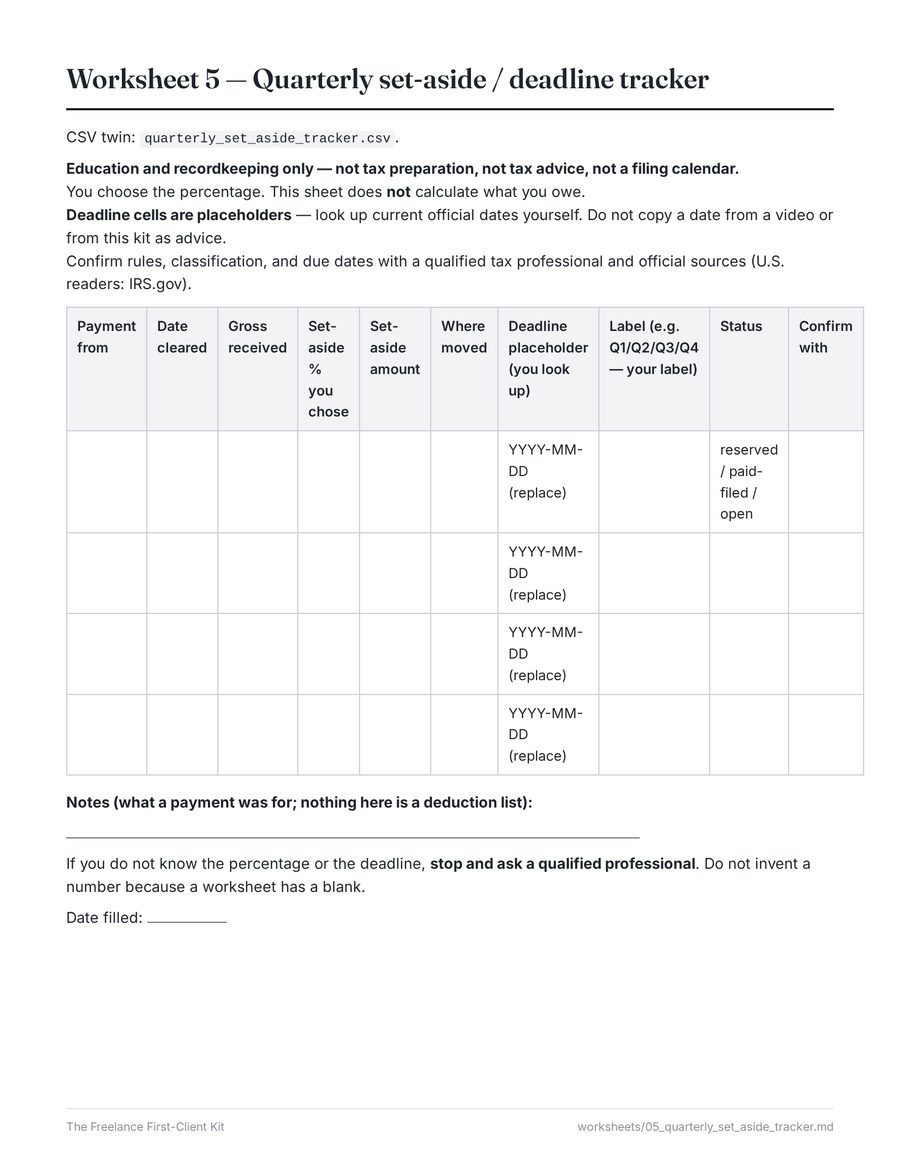
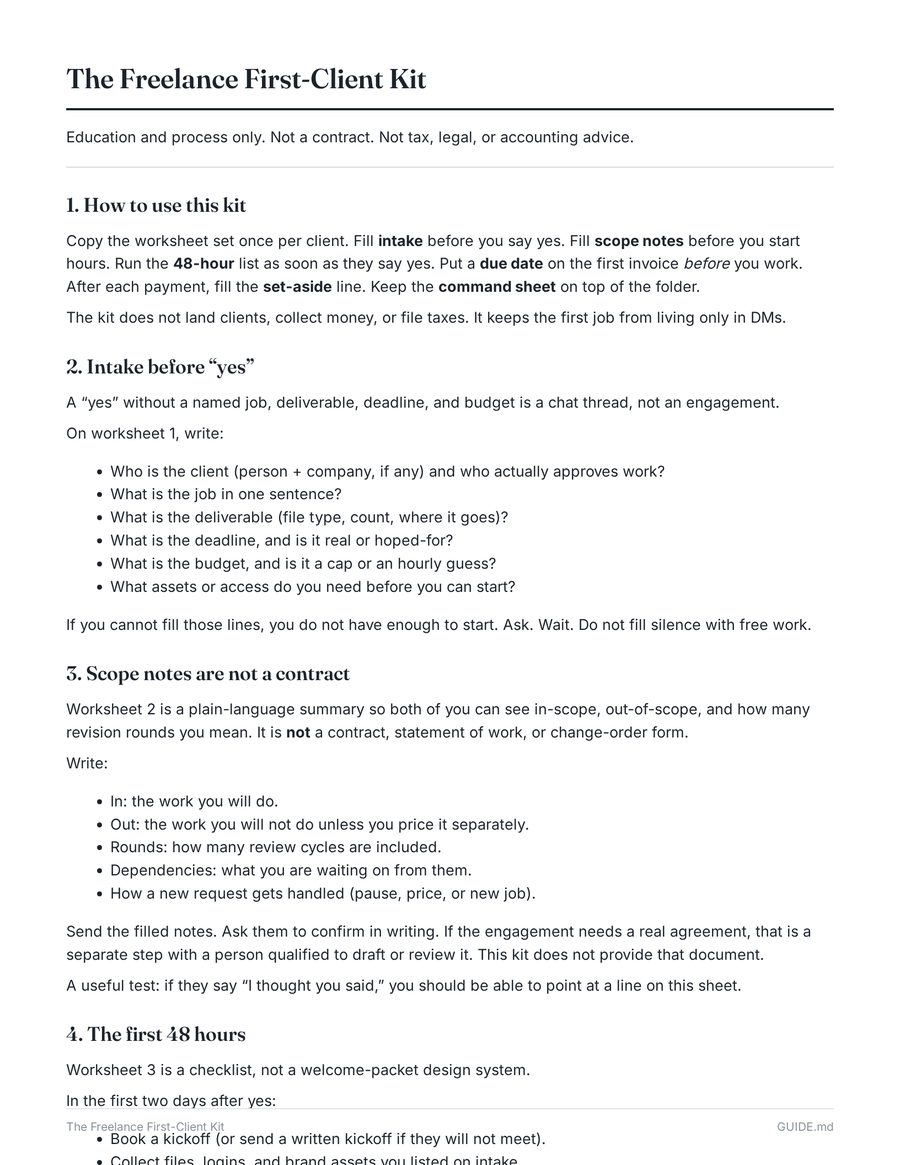
Actual worksheets from the kit, shown printed.
What’s inside
One packet per client, from first message to first invoice
Copy the set once per client. Each sheet covers one step a first job usually skips, and each has a CSV twin you can import into a spreadsheet.
Client / Job Intake
Who approves the work, the job in one sentence, deliverable, deadline, budget and what is still unknown. Fill it before you say yes. Comes with discovery notes.
Scope Notes + Proposal Outline
In scope, out of scope, timeline and revision rounds. The proposal outline leaves the price blank: not a quote, not rate advice.
First 48 Hours + Welcome Checklist
Kickoff, files, access, one request channel, approver and the next date on the calendar, plus what to send after a yes.
Invoice Readiness Log
Billing contact, trigger and due date before the hours start, then a sent / due / follow-up / paid log. Polite check-in emails, not demand letters.
Quarterly Set-Aside & Deadlines
Record each payment and the percentage you choose to set aside. Deadline cells are placeholders you look up. Not tax prep.
Command sheet, guide & emails
A one-page Project Command Sheet, a short how-to guide, plain-text follow-up email templates and a printable index.
See all 21 files in the download
DISCLAIMER_SUPPORT_REFUND.md | Education-only boundaries, support and refunds |
GUIDE.md | Short how-to for running a first client job on paper |
README.md | Start here: contents, who it is for, disclaimers, how to use |
worksheets/01_client_job_intake.md | Worksheet 1: client / job intake (fill before you say yes) |
worksheets/02_scope_notes.md | Worksheet 2: in scope, out of scope, timeline, revision rounds |
worksheets/03_onboarding_checklist.md | Worksheet 3: first 48 hours after the yes |
worksheets/04_invoice_log.md | Worksheet 4: invoice readiness and follow-up log |
worksheets/05_quarterly_set_aside_tracker.md | Worksheet 5: set-aside and deadline placeholders |
worksheets/06_project_command_sheet.md | Worksheet 6: one-page project command sheet |
worksheets/PRINTABLE_WORKSHEETS.md | Printable index of the worksheets |
worksheets/client_welcome_checklist.md | What to send the client after the yes |
worksheets/discovery_notes.csv | Discovery notes (CSV twin) |
worksheets/discovery_notes.md | Discovery notes, filled alongside intake |
worksheets/follow_up_email_templates.md | Plain-text invoice check-in emails |
worksheets/intake.csv | Intake as a spreadsheet (CSV twin) |
worksheets/invoice_log.csv | Invoice log (CSV twin) |
worksheets/onboarding_checklist.csv | First 48 hours (CSV twin) |
worksheets/proposal_outline.csv | Proposal outline (CSV twin) |
worksheets/proposal_outline.md | Proposal outline, price left blank for you |
worksheets/quarterly_set_aside_tracker.csv | Set-aside tracker (CSV twin) |
worksheets/scope.csv | Scope notes (CSV twin) |
Preview
Look at the real pages before you buy
These are rendered straight from the files in the download, not mockups of a different product. Click any page to see it full size.
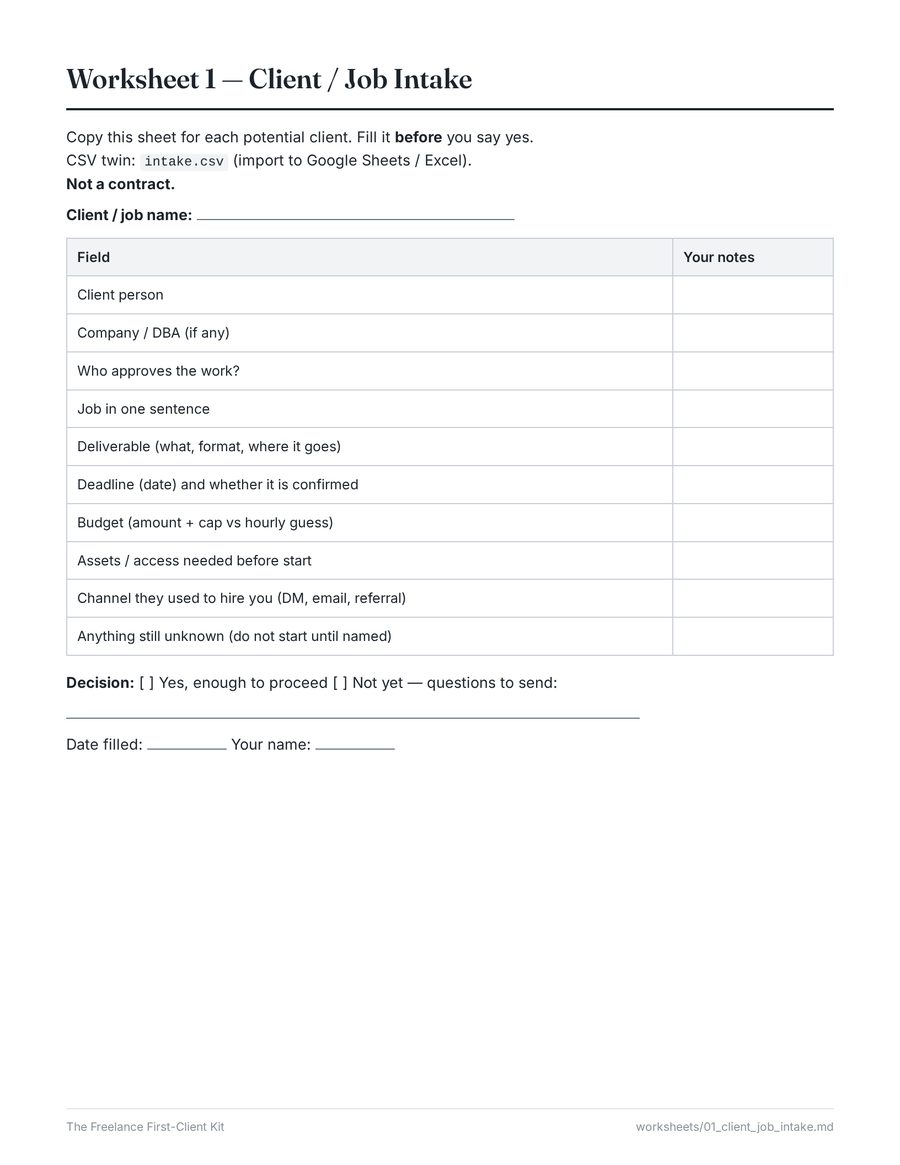
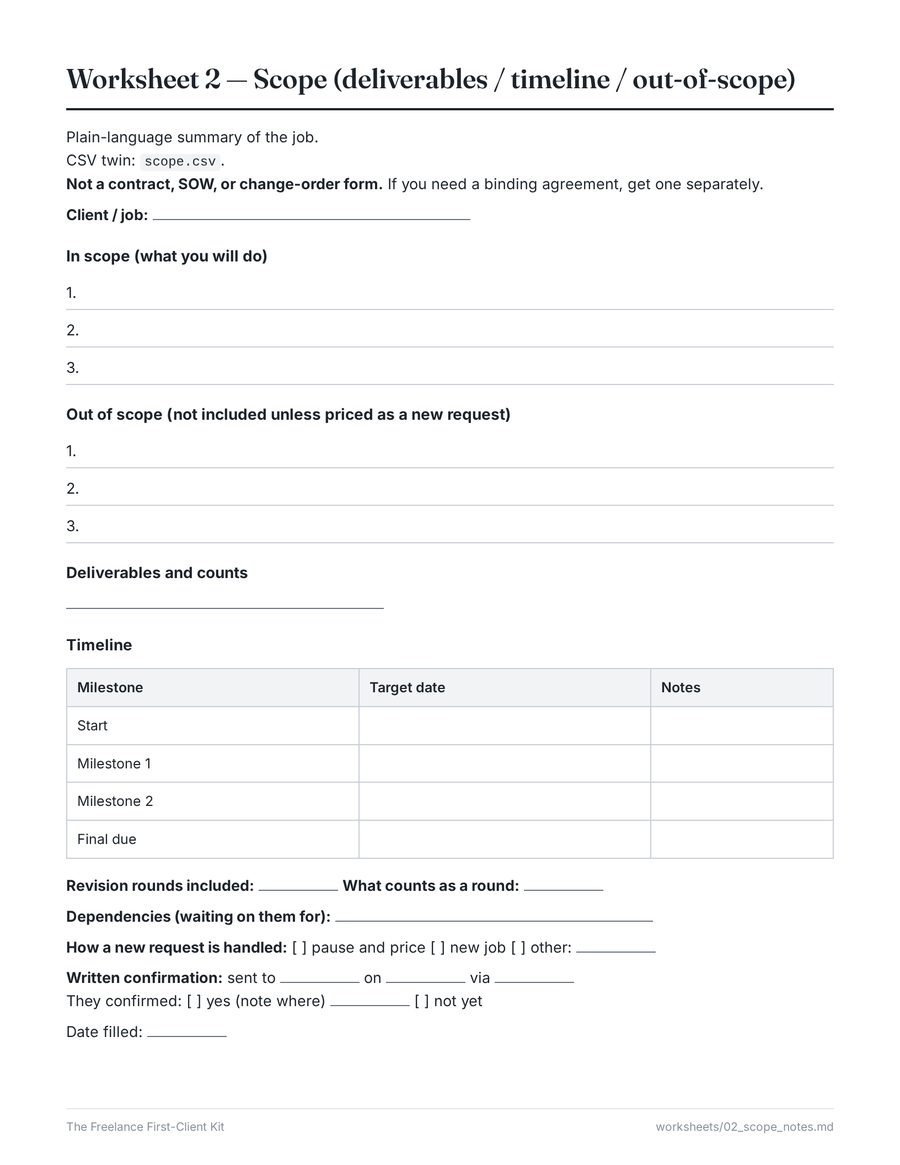
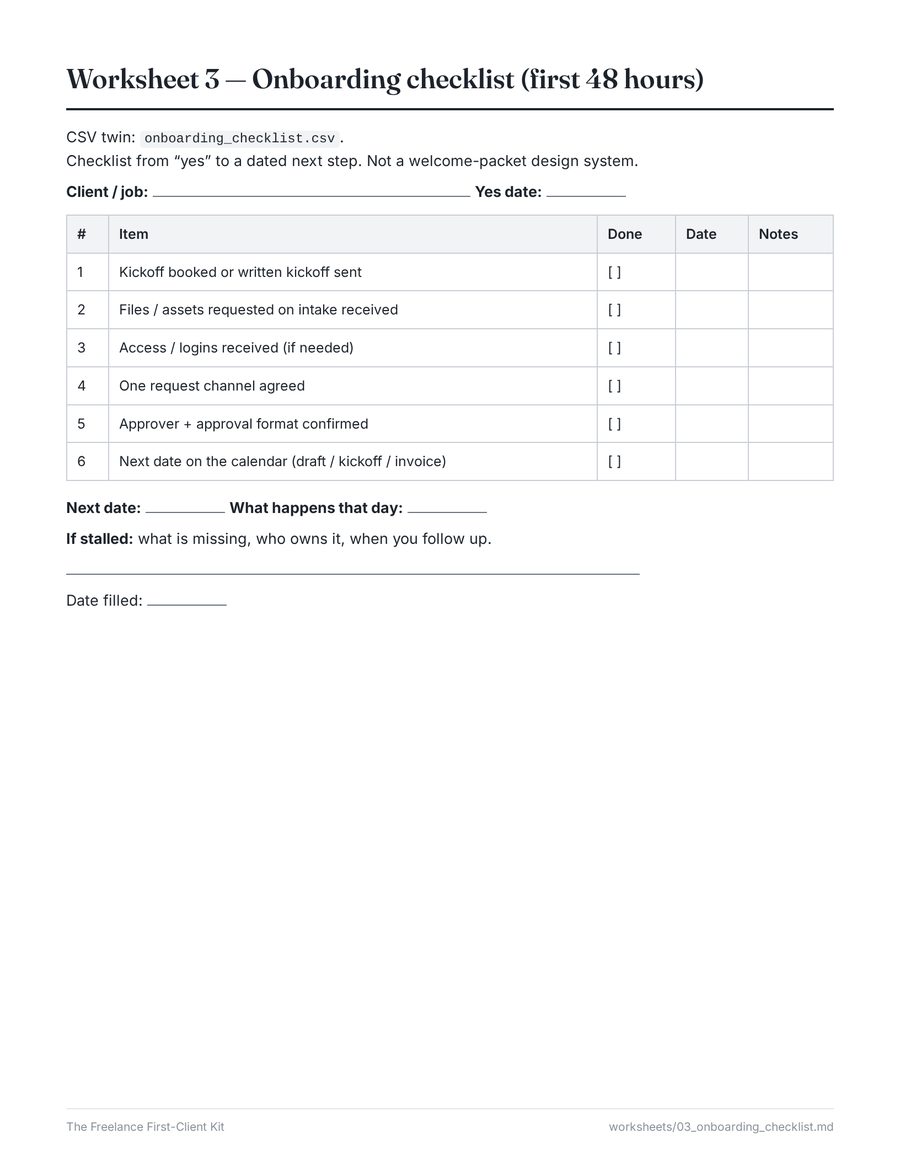

invoice_log.csv after File → Import in a spreadsheet.zip of Markdown (.md) worksheets you can open in any text editor or print, and CSV files you can import into Google Sheets or Excel. No PDF, no app, no login. The pages above show the Markdown files printed; how they look on your screen depends on the app you open them in.How it works
Checkout to first worksheet in a few minutes
Pay on Stripe
Secure checkout hosted by Stripe. Your card statement will show ONTRKT.
Download the .zip
After payment you are sent straight to your download page. Keep a copy.
Copy the set per client
Open README.md, then GUIDE.md. Fill intake before you say yes, scope before you start hours.
Fit
Who it’s for, and who should skip it
For
- Solo freelancers (designers, writers, VAs, developers, social managers and similar) about to run a first or early client.
- Anyone whose last job lived in a DM thread with no due date.
- People who like paper or a spreadsheet more than another app.
Skip it if you need
- A lawyer-ready contract, NDA or SOW pack.
- A CPA tax worksheet, a rate guide or tax filing help.
- An agency Notion OS, a CRM, or a “get clients” program.
Worksheets, not contracts. The proposal outline is not a binding quote. The invoice log is not an invoice. The set-aside page is recordkeeping — confirm with a qualified tax professional and official sources (U.S.: IRS.gov). No income claims, no testimonials, no guaranteed results.
Free, no signup
Try the approach first
These free pages use the same process. The kit puts all of it into fill-in worksheets with CSV twins.
Questions
Frequently asked
What format are the files?
One .zip (about 20 KB) with 21 files: Markdown (.md) worksheets you can open in any text editor, Notes app or Markdown viewer, or print, and CSV files you can import into Google Sheets or Excel (File → Import → upload a .csv). No PDF, no app, no login.
Is this a contract?
No. Scope notes, intake sheets, checklists and the proposal outline are plain-language working papers, not a contract, statement of work, NDA or other legal instrument. Get a separate agreement if you need something binding.
Is this tax advice?
No. The set-aside / deadlines page is educational recordkeeping only. It does not calculate tax owed, classify income or set a correct reserve percentage. Confirm rules and dates with a qualified tax professional and official sources (U.S.: IRS.gov).
Will this get me clients or guarantee payment?
No. There are no income claims, no testimonials, and no guarantees of clients, payments or business outcomes.
What’s the refund policy?
If you cannot download or open the files within 7 days of purchase, contact support with your receipt number. After we confirm a technical failure on our side, you get a full refund. Because this is instant digital educational content, we do not refund for change of mind, dislike of content, unused worksheets, format preference, or business / client / payment / tax outcomes. Details.
How do I get the files after paying?
After payment on Stripe you are sent straight to your download page. There is no physical product or shipping.
Who sells this
A small, independent digital download
The Freelance First-Client Kit is a simple download business: educational worksheets, sold once, delivered instantly. No mailing list, no ads or tracking pixels on this site.
- Payments
- Processed by Stripe. We never see your full card number. Your statement will show ONTRKT.
- Support
- Download and file-access issues. Target reply within 1 business day (Mon–Fri, 10 AM–5 PM America/New_York).
- Contact
- Use the support details on your Stripe receipt and include your receipt number. See Refunds & support.
- Policies
- Terms of sale · Privacy notice · Refunds
Give your first client job a paper trail
Intake, scope, first 48 hours, invoice log and set-aside worksheets, as Markdown + CSV. 21 files.
Worksheets, not contracts. The proposal outline is not a binding quote. The invoice log is not an invoice. The set-aside page is recordkeeping — confirm with a qualified tax professional and official sources (U.S.: IRS.gov). No income claims, no testimonials, no guaranteed results.
After payment you are sent straight to your download page. Refunds are available for confirmed download failures within 7 days — see Refunds & support.